A good friend of mine asked me the other day, “How does one update a CNAME (Canonical Name record) in Infoblox using an Ansible Playbook.” I told him to use the URI if it’s not available in the module, so he went looking on Google and didn’t come across a good example. So I decided to write this quick post on “How To” use Ansible Playbook first to make a URI call to “GET” data and then take the “Response” and “Update” via another URI call.
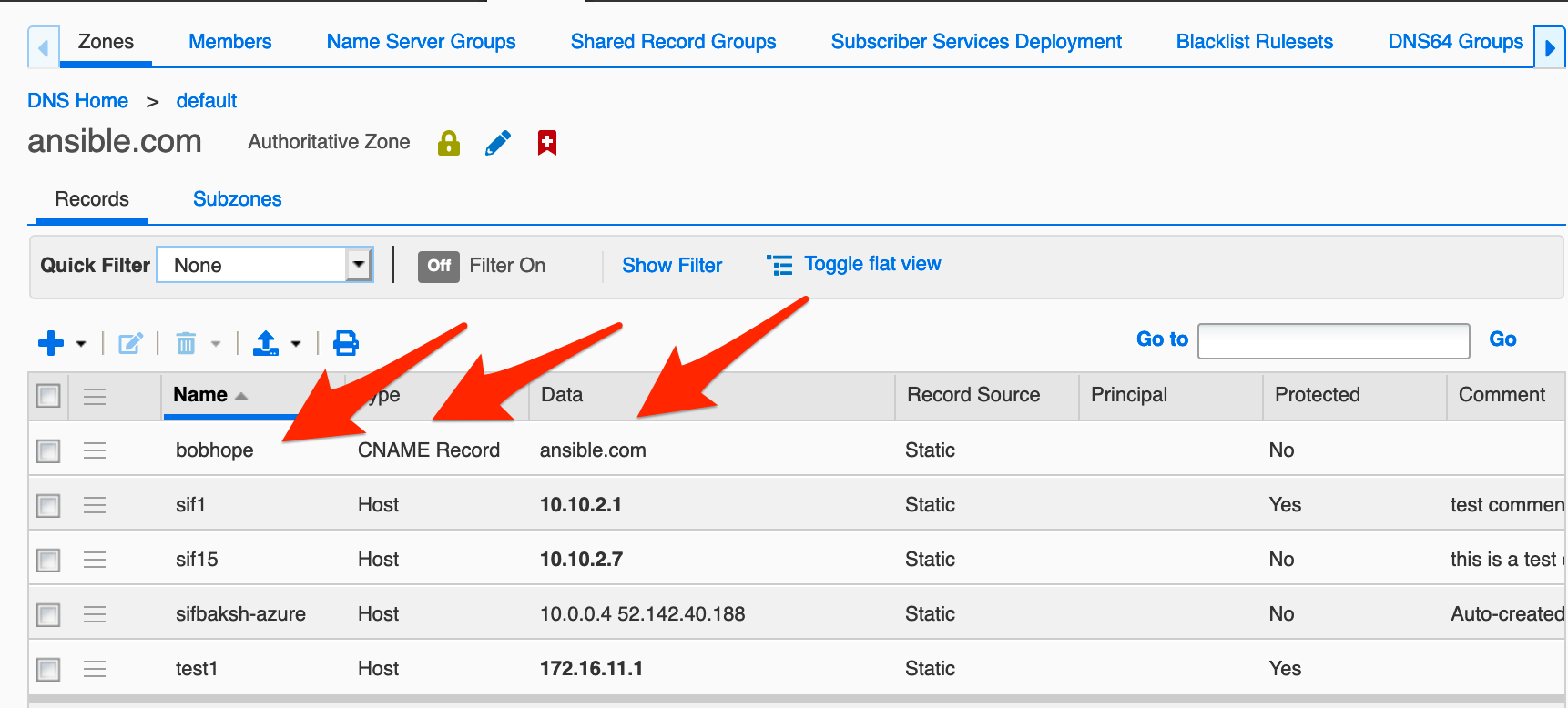
We are going to update “bobhome.ansible.com” in my zone using the following API calls:
-
/wapi/v2.7/record:cname?name=bobhope.ansible.com- We will Search for “bobhope.ansible.com” with the above “GET” command
-
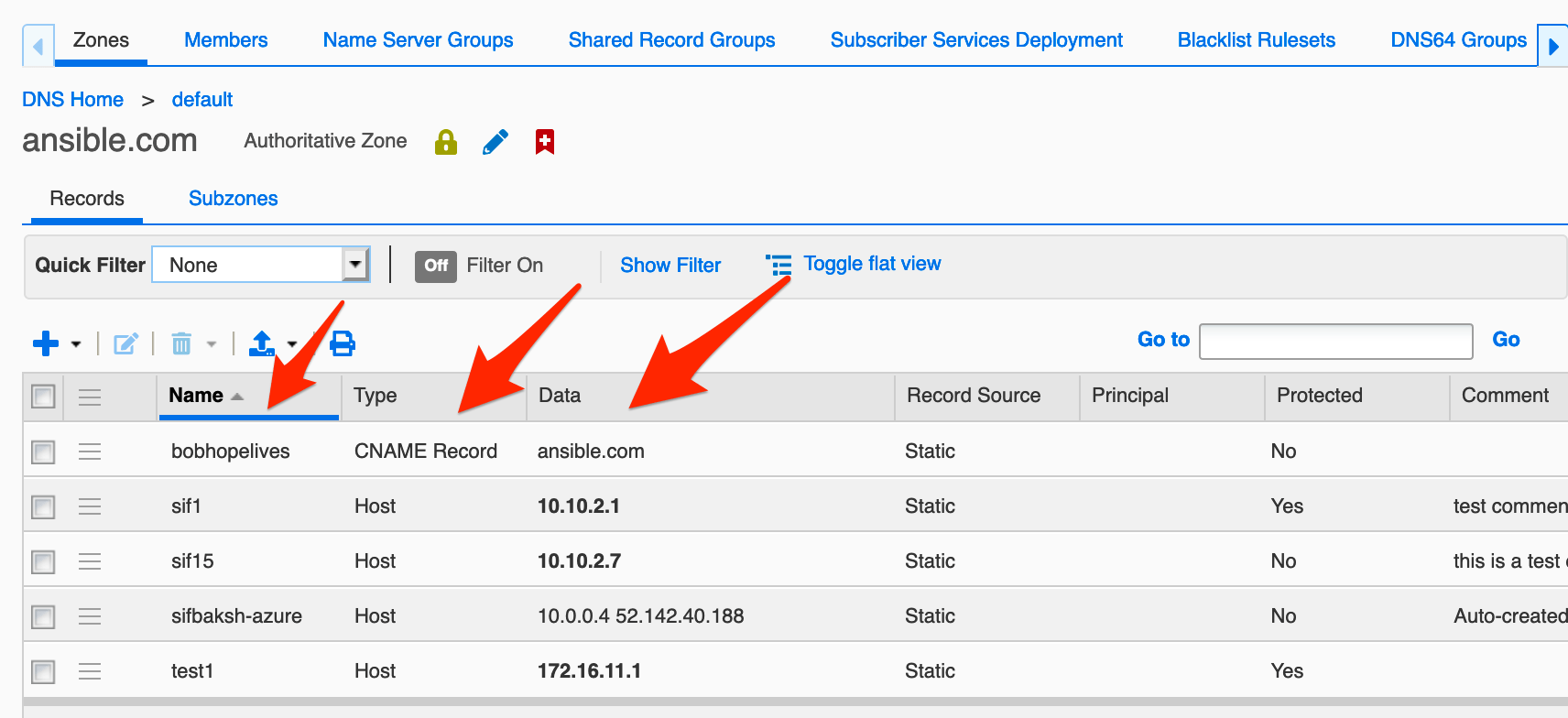
/wapi/v2.7/record:cname/ZG5zLmJpbmRfY25hbWUkLl9kZWZhdWx0LmNvbS5hbnNpYmxlLmRlbW8uY25hbWU:cname.demo.ansible.com/default- We will pass in the body {“name”:“bobhope.ansible.com”} using a “PUT” command
---
- hosts: localhost
  connection: local
  tasks:

  - name: Get the next available network from 10.1.0.0/16
    uri:
      url: "https://192.168.0.200/wapi/v2.7/record:cname?name=bobhope.ansible.com"
      method: GET
      user: admin
      password: infoblox
      status_code: 201, 302, 200
      headers:
          Content-Type: "application/json"
      body_format: json
      validate_certs: no
      return_content: yes
    register: data

  - name: CNAME _ref
    debug:
      var: data.json[0]._ref

  - name: Update CNAME
    uri:
      url: "https://192.168.0.200/wapi/v2.7/{{ data.json[0]._ref }}"
      method: PUT
      user: admin
      password: infoblox
      status_code: 201, 302, 200
      headers:
          Content-Type: "application/json"
      body:
        name: "bobhopelives.ansible.com"
      validate_certs: no
Let’s run the “playbook” and take a look at the results:
Let me know if you found this useful and any others you would like to see in the comments below.
Recommended Reading
This post is part of the Infoblox and Ansible series. Catch up or go deeper:
- Getting Started with Infoblox and Ansible — Start here if you’re new to the series: install Ansible, configure credentials, and run your first playbook against the Infoblox Grid.
- Infoblox and Ansible getting to know “lookup” — Use the
nioslookup module to search host records by FQDN or regex. - Infoblox and Ansible using “nios_next_ip” — Automatically get the next available IP and create host records — the same GET + act pattern as this post, applied to IP allocation.
- Introduction to Infoblox API (WAPI) using Python — Want to do the same GET/PUT workflow in Python instead of Ansible? This post covers it with
requestsandinfoblox-client. - The Ultimate Guide to Infoblox DDI WAPI Examples — A comprehensive curl reference for DNS, DHCP, and IP operations via the WAPI.
Frequently Asked Questions
What two WAPI calls are needed to update a CNAME record using an Ansible playbook?
First, a GET to /wapi/v2.7/record:cname?name=<hostname> to retrieve the record’s _ref. Second, a PUT to /wapi/v2.7/{{ data.json[0]._ref }} with the new name in the body (e.g., {"name": "newname.ansible.com"}). The _ref from the GET is required to target the exact record in the PUT.
How does Ansible’s uri module store the GET response for use in a subsequent request?
Use register: data in the GET task. The full JSON response is then accessible as data.json in later tasks. For a list response, data.json[0]._ref accesses the _ref of the first result, which is passed directly into the PUT URL.
Can this GET-then-PUT pattern be used for other Infoblox record types besides CNAME?
Yes — the same two-step approach works for any WAPI object: A records (record:a), host records (record:host), DHCP fixed addresses (fixedaddress), networks, and more. The pattern is always: GET the _ref, then PUT to the _ref URL with the updated fields in the request body.
Comments
No comments yet — be the first to share your thoughts.